PowerSim: Differentiable Physics Simulation and Rendering with Power Diagrams
Johns Hopkins University
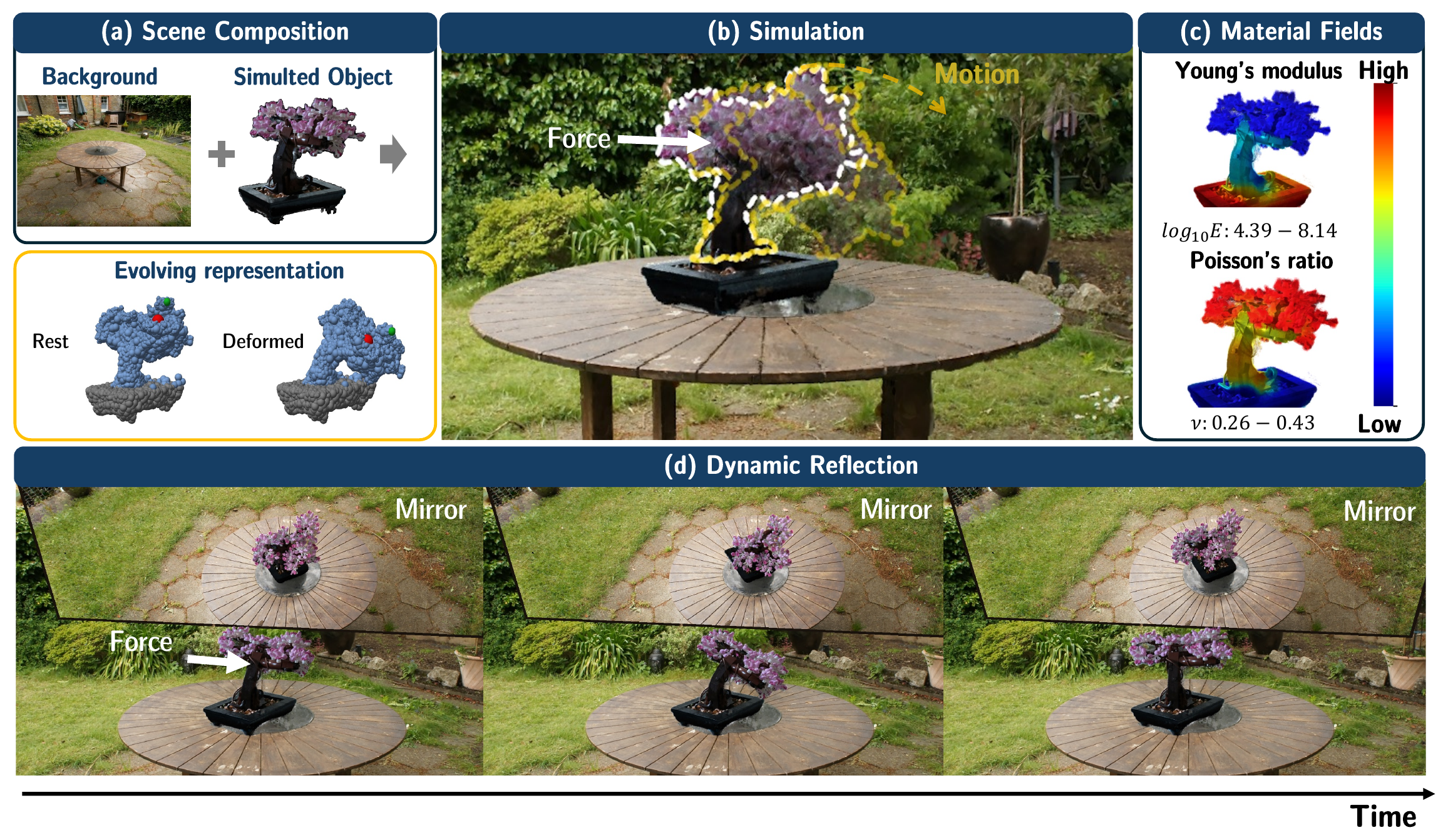
Teaser: scene composition, simulation under applied force, estimated material fields, and dynamic mirror reflection over time

Varying Force Conditions

Force Setting 1
Video placeholderresults/poke/force_setting_1.mp4
Force Setting 2
Video placeholderresults/poke/force_setting_2.mp4
Force Setting 3
Video placeholderresults/poke/force_setting_3.mp4

We introduce PowerSim, a method to bring physically grounded, differentiable dynamics to PowerFoam’s power diagram based 3D representation. PowerSim directly couples a pre-trained PowerFoam scene to the Material Point Method (MPM) by exploiting a natural alignment between the two. As a result, simulated motion can drive the scene’s geometry and appearance directly, without an auxiliary representation in between. Built on this framework, we enable a range of applications on real and synthetic scenes: (1) simulating a static scene under user interaction, (2) recovering spatially varying material fields, (3) compositing primitives from independently captured scenes into a single simulation-ready scene and (4) ray-tracing reflections that update consistently as the object deforms. Our results suggest that PowerSim excels over previous frameworks for physically grounded dynamics, while unlocking unique advantages—such as secondary ray lighting effects on dynamic scenes.
Why PowerSim?

PowerSim partitions the reconstructed object volume into explicit cells, while PhysGaussian uses Gaussian kernels that tend to concentrate near surfaces and optionally adds interior particles. Under extreme stretching with the same applied force, PAC-NeRF loses texture and develops abrupt cut-like boundaries, while PhysGaussian exhibits pronounced blurring in stretched regions. PowerSim retains more surface detail and sharper boundaries during separation.

PAC-NeRF

PhysGaussian

PowerSim

How PowerSim?

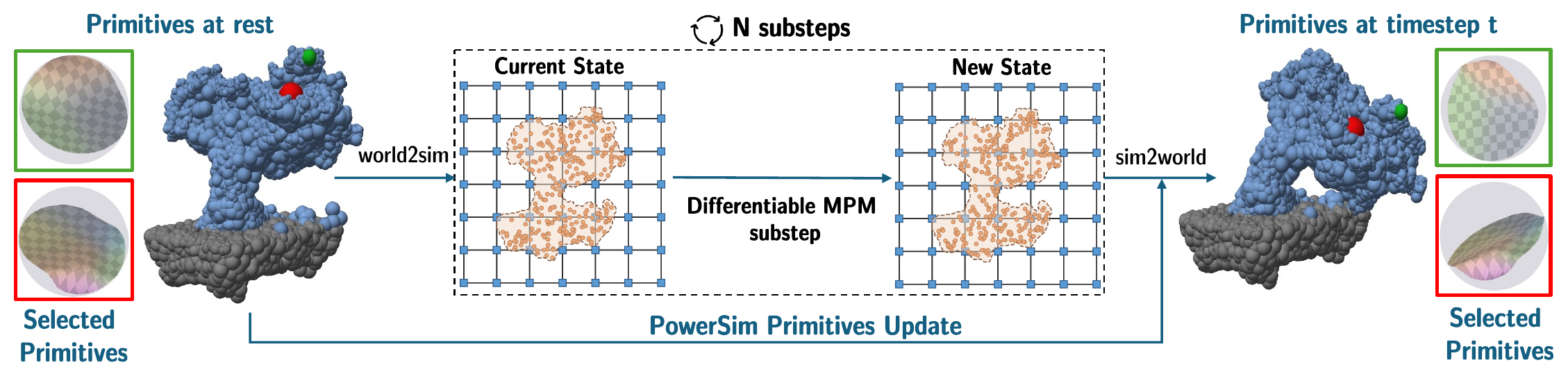
After N MPM substeps, we leverage the deformation gradient output to update primitive positions, isotropically scale their radii to match local volume change, and rotate their dipole frames and appearance directions. We then rebuild adjacency for the updated primitives. Insets show two selected primitives before and after deformation.

Differentiable PowerSim primitives update: primitives at rest are mapped world2sim, advanced by N differentiable MPM substeps, then mapped sim2world to the primitives at timestep t

Material Properties Estimation

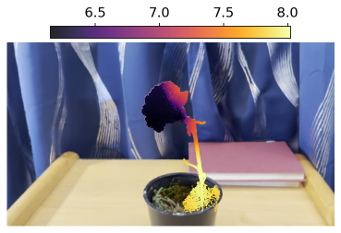
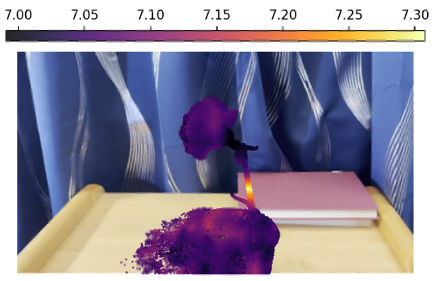
Under the same applied force, random material assignment produces large stem bending, while PhysDreamer produces little bending. PowerSim produces back-and-forth motion with visible stem deformation. The first row shows the material field (Young’s modulus) for each setting.

Material Field (Young’s Modulus)

Randomly initialized material field
PhysDreamer material field
Optimized material field

Simulation Results

Video placeholderresults/material/random.mp4
Video placeholderresults/material/physdreamer.mp4
Video placeholderresults/material/optimized.mp4
Random Material
PhysDreamer
PowerSim

Simulation-ready Primitives Selection

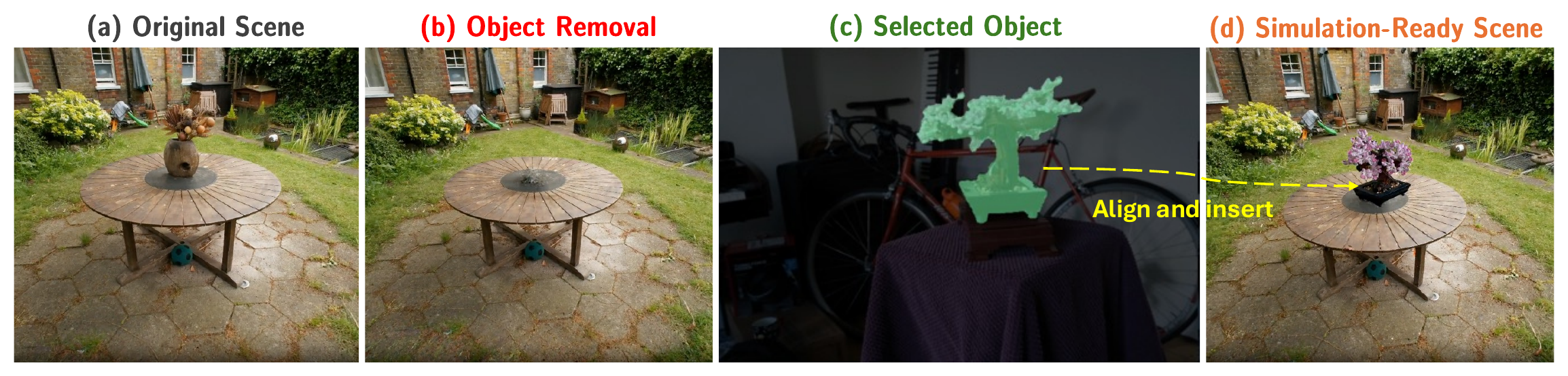
We design an optimization-free, primitive-based selection for a 3D scene from multi-view masks, enabling scene composition and multi-object simulation.

Scene editing pipeline: original scene, object removal, selected object, simulation-ready scene

More Simulation Results

We showcase a range of simulation results that demonstrate the versatility of PowerSim in reproducing different material behaviors, from collision and compression to elasticity and granular flow.

Collision

Compression

Elasticity

Granular

Mic Drop

Telephone Swinging

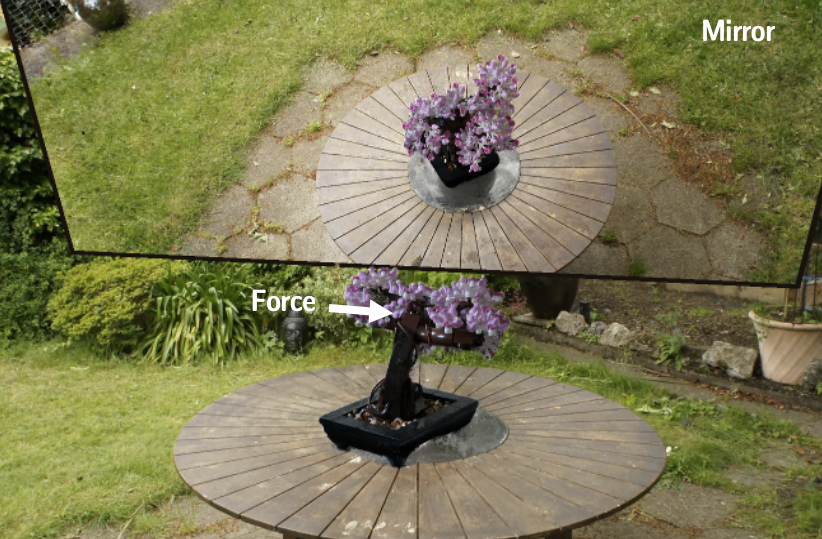
Secondary Ray Tracing on Dynamic Scene with Mirror Reflection

Single Physics Simulation in Garden Scene

Bonsai garden setup: a force applied to the bonsai, with the mirror plane above showing the reflected view

Multi-Physics Simulation in Cafeteria Scene

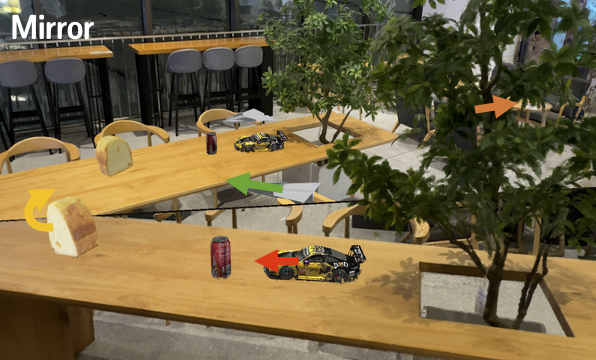
Cafeteria setup: arrows mark the forces applied to the toy cars, cans and bread, with the mirror plane showing the reflected view

Benchmark Comparisons

We provide qualitative comparisons on the GSO drop benchmark with other baseline methods. Panels left to right: PAC-NeRF, PhysDreamer, Ours, Reference.

Mario

Bus

Ablation Studies

We model the bread as an elastic material and apply twisting and pulling to test the updates under large deformation. Under large twisting deformations, updating both the dipole frames and appearance directions helps preserve the object's geometry and appearance. We compare the full update with variants that hold either component fixed, and with PhysGaussian.

PowerSim

Fixed Dipole Plane

Fixed Detail Site Axis

PhysGaussian

Limitations

PowerSim can select and move the telephone handset, but its motion exposes poorly reconstructed regions, revealing gaps and visual artifacts. This could be further improved by generative priors which help to complete these regions, which we leave to future work.

Video placeholder./results/limitations/telephone_handset_takeout.mp4

Acknowledgement

We are grateful to Shrisudhan Govindarajan for his great discussion and helpful insights about PowerFoam, which our work is built upon.